%20--%3e%3ccircle%20cx='32'%20cy='32'%20r='30'%20fill='rgba(99,102,241,0.05)'%20stroke='url(%23icon-gradient)'%20stroke-width='1.5'/%3e%3c!--%20Left%20bracket%20%3c%20--%3e%3cpath%20d='M12%2020L4%2032L12%2044'%20stroke='url(%23icon-gradient)'%20stroke-width='4'%20stroke-linecap='round'%20stroke-linejoin='round'%20fill='none'/%3e%3c!--%20Central%20E%20--%3e%3cpath%20d='M22%2018H42V24H28V29H40V35H28V40H42V46H22V18Z'%20fill='url(%23icon-accent)'/%3e%3c!--%20Right%20bracket%20%3e%20--%3e%3cpath%20d='M52%2020L60%2032L52%2044'%20stroke='url(%23icon-gradient)'%20stroke-width='4'%20stroke-linecap='round'%20stroke-linejoin='round'%20fill='none'/%3e%3c!--%20Decorative%20dots%20--%3e%3ccircle%20cx='32'%20cy='10'%20r='2'%20fill='%23818CF8'%20opacity='0.7'/%3e%3ccircle%20cx='32'%20cy='54'%20r='2'%20fill='%236366F1'%20opacity='0.7'/%3e%3c/svg%3e)
Documentation
How to run scans, read scores, use the API, and understand vulnerability references.
Quick Audit
The Quick Audit runs a free Lighthouse audit on any public URL without an account. Enter a URL and VitaPulse analyzes the page on mobile and desktop. You get four scores (Performance, Accessibility, Best Practices, SEO), Core Web Vitals, and a list of improvement opportunities. Convert the result into a monitored project to track changes over time.
- No account required
- Mobile and desktop in a single run
- 4 Lighthouse scores with Core Web Vitals
- Convert to a monitored project
Projects
Projects are the core of VitaPulse. Each project monitors a URL and tracks its performance over time. Configure between 1 and 25 pages per project depending on your plan. Projects store the full scan history, enabling trend analysis and regression detection across your monitoring period.
- Monitor one URL per project with multi-page support
- Automatic scans on your chosen schedule (monthly, weekly, or daily)
- Full scan history with trend visualization
- Configurable settings and project-level preferences
Running Scans
Scans are Lighthouse audits run against your project's URL. Trigger scans manually from your dashboard or let VitaPulse run them automatically on a weekly schedule. Each scan analyzes your page on both mobile and desktop, measuring performance scores, Core Web Vitals, and running hundreds of individual audits. Results include opportunities, diagnostics, and regression detection.
- Manual scans with one click from the dashboard
- Automated scheduling: monthly (Free), weekly (Pro), daily (Business and Agency)
- Mobile and desktop analysis in every scan
- Real-time progress tracking during scan execution
Understanding Scores
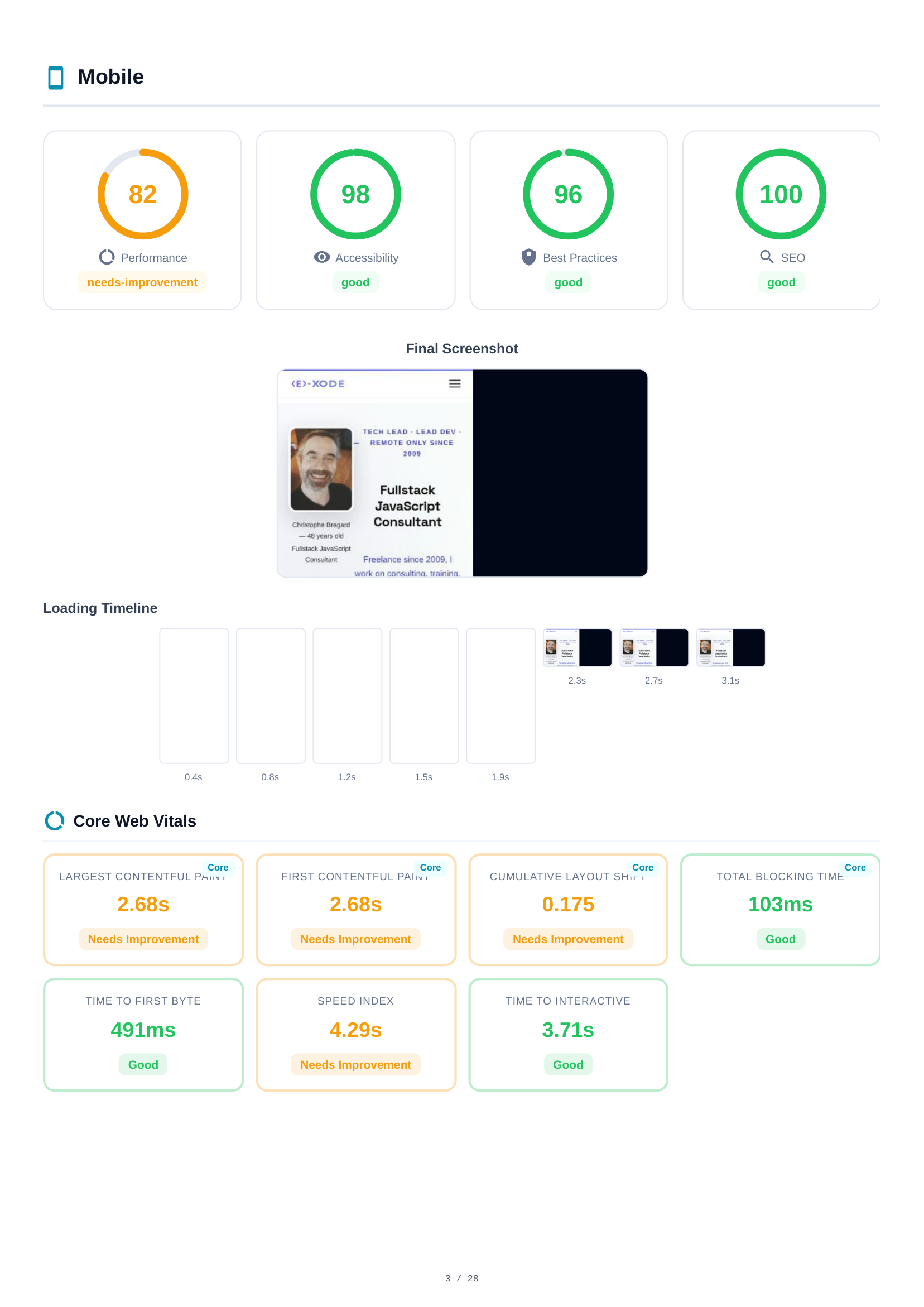
VitaPulse reports four Lighthouse scores for every scan, each graded from 0 to 100. Performance measures loading speed and interactivity. Accessibility checks usability for all users including those with disabilities. Best Practices evaluates modern web standards. SEO analyzes search engine optimization. Each score is color-coded: green (90–100) good, orange (50–89) needs improvement, red (0–49) poor.
- Performance — Loading speed, interactivity, visual stability
- Accessibility — Screen reader support, contrast, ARIA labels
- Best Practices — HTTPS, image formats, JavaScript errors
- SEO — Meta tags, crawlability, mobile-friendliness
Core Web Vitals
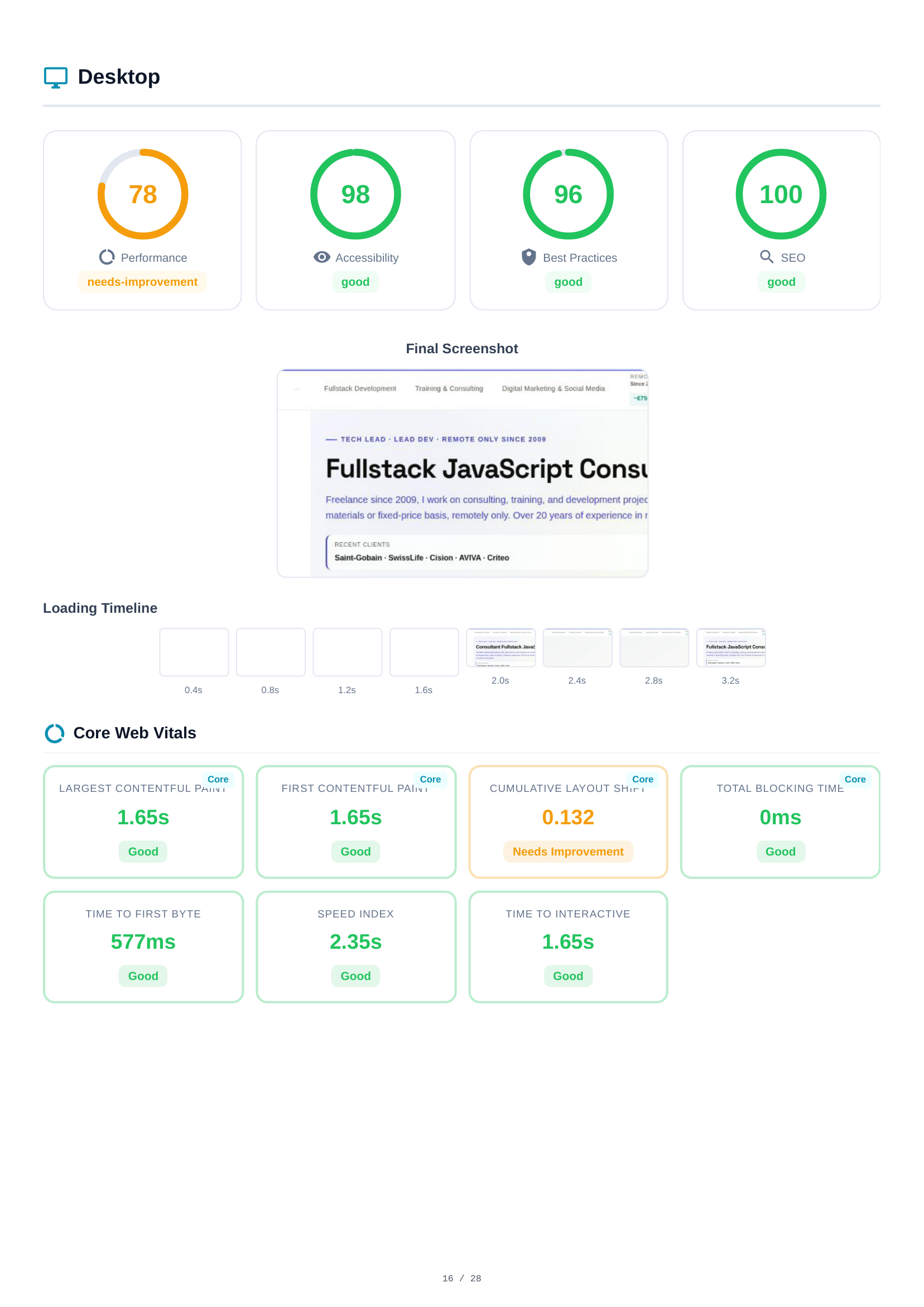
Core Web Vitals are Google's key metrics for real-world user experience. VitaPulse tracks six essential metrics: Largest Contentful Paint (LCP) measures how long until the main content is visible. Cumulative Layout Shift (CLS) measures visual stability. Interaction to Next Paint (INP) measures responsiveness. First Contentful Paint (FCP), Speed Index, and Total Blocking Time (TBT) complete the picture.
- LCP — Largest Contentful Paint (target: < 2.5s)
- CLS — Cumulative Layout Shift (target: < 0.1)
- INP — Interaction to Next Paint (target: < 200ms)
- FCP — First Contentful Paint (target: < 1.8s)
- SI — Speed Index (target: < 3.4s)
- TBT — Total Blocking Time (target: < 200ms)
Opportunities & Diagnostics
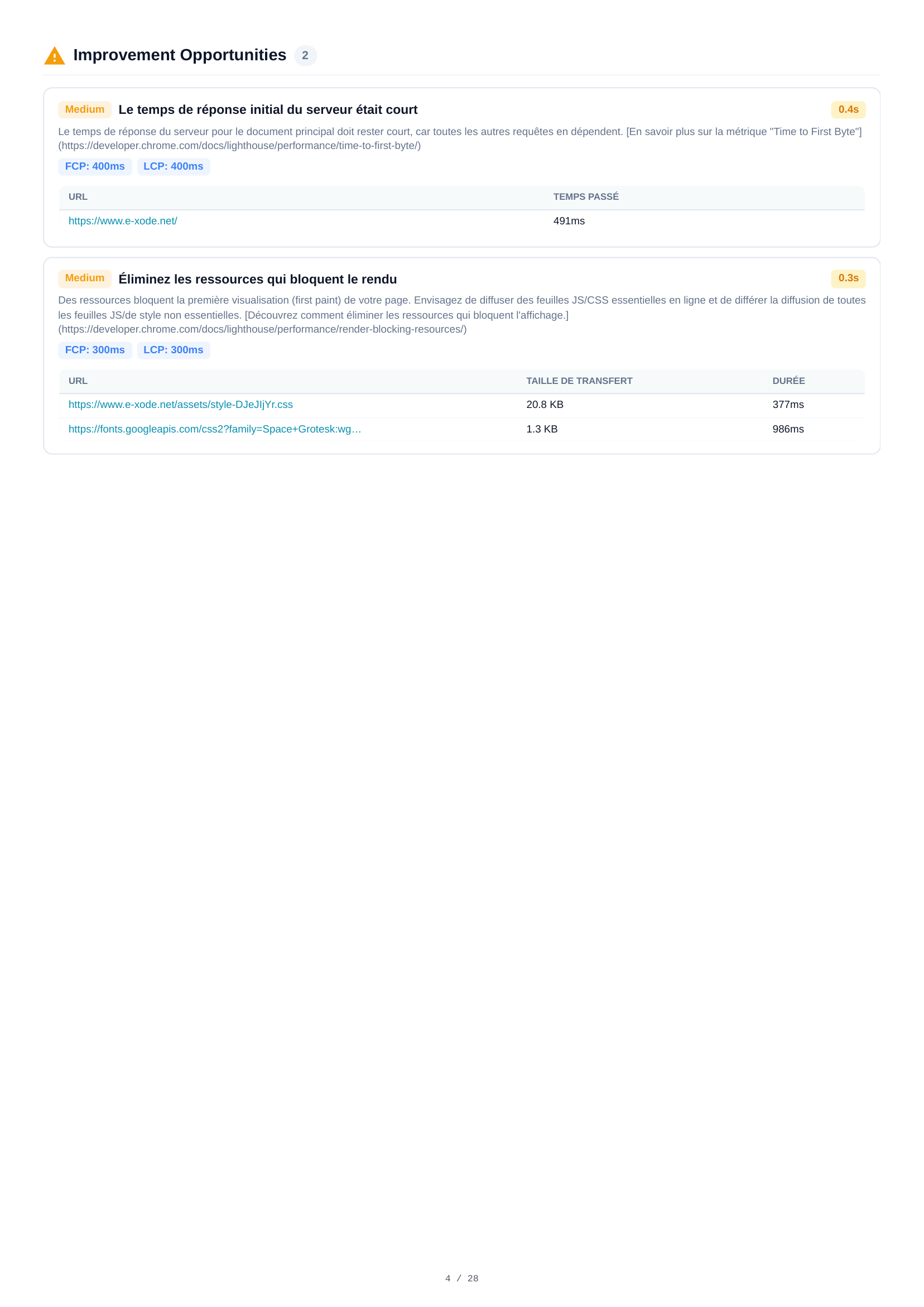
Each scan identifies specific opportunities to improve performance with estimated time savings — such as optimizing images, eliminating render-blocking resources, or reducing unused JavaScript. Diagnostics provide additional insights into your page's architecture. Both are sorted by potential impact to help you prioritize.
- Estimated time savings for each opportunity
- Sorted by impact — focus on what matters most
- Detailed technical descriptions with solutions
- Expandable audit details with affected resources
Regression Detection
VitaPulse automatically detects performance regressions by comparing each new scan against a baseline. By default, the baseline is your most recent completed scan, but you can set any scan as the reference baseline for stable comparisons. When scores drop or CWV degrade beyond thresholds, VitaPulse flags regressions with clear before/after comparisons.
- Automatic comparison against baseline scan
- Set any scan as reference baseline for stable tracking
- Threshold-based detection for scores and CWV
- Clear visual indicators for regressions
PDF Reports
Generate a full PDF report for any scan. It includes all scores, Core Web Vitals, opportunities, diagnostics, regression analysis, and network request details — reproducing exactly what you see in the application. Agency plan users generate white-label reports with no VitaPulse branding.
- Complete scan results in a downloadable PDF
- White-label option for Agency plan (no VitaPulse branding)
- Shareable public link for stakeholder access
- Includes all tabs: scores, CWV, opportunities, regressions
Associates & Sharing
Agency plan users can invite up to 10 associates to collaborate on projects. Associates are invited by email and gain access to specific shared projects. They can view all scan results, download PDF reports, and run manual scans (deducted from their own quota). Associates cannot modify project settings or delete projects — maintaining clear ownership boundaries.
- Invite up to 10 associates by email
- Share specific projects with each associate
- Associates can view results and run scans
- Owner retains full control over project settings
Plans & Billing
VitaPulse has four plans. Free: 1 project, 1 page, 30 scans/month, monthly auto-scans, 30-day history. Pro (29 EUR/mo): 3 projects, 5 pages each, 500 scans, weekly auto-scans, PDF export, email reports, API access, 180-day history. Business (99 EUR/mo): 15 projects, 15 pages each, 6,000 scans, daily auto-scans, regression alerts, 365-day history. Agency (249 EUR/mo): 50 projects, 25 pages each, 30,000 scans, white-label PDF, 10 team seats, 730-day history.
- Free — 1 project, 1 page, 30 scans/month
- Pro — 3 projects, 5 pages, 500 scans/month, PDF export, API access
- Business — 15 projects, 15 pages, 6,000 scans/month, regression alerts
- Agency — 50 projects, 25 pages, 30,000 scans/month, white-label PDF, 10 team seats
Vulnerability Resources
Detailed guides on web security vulnerabilities detected by VitaPulse. Each guide explains the risk, impact, and step-by-step remediation.